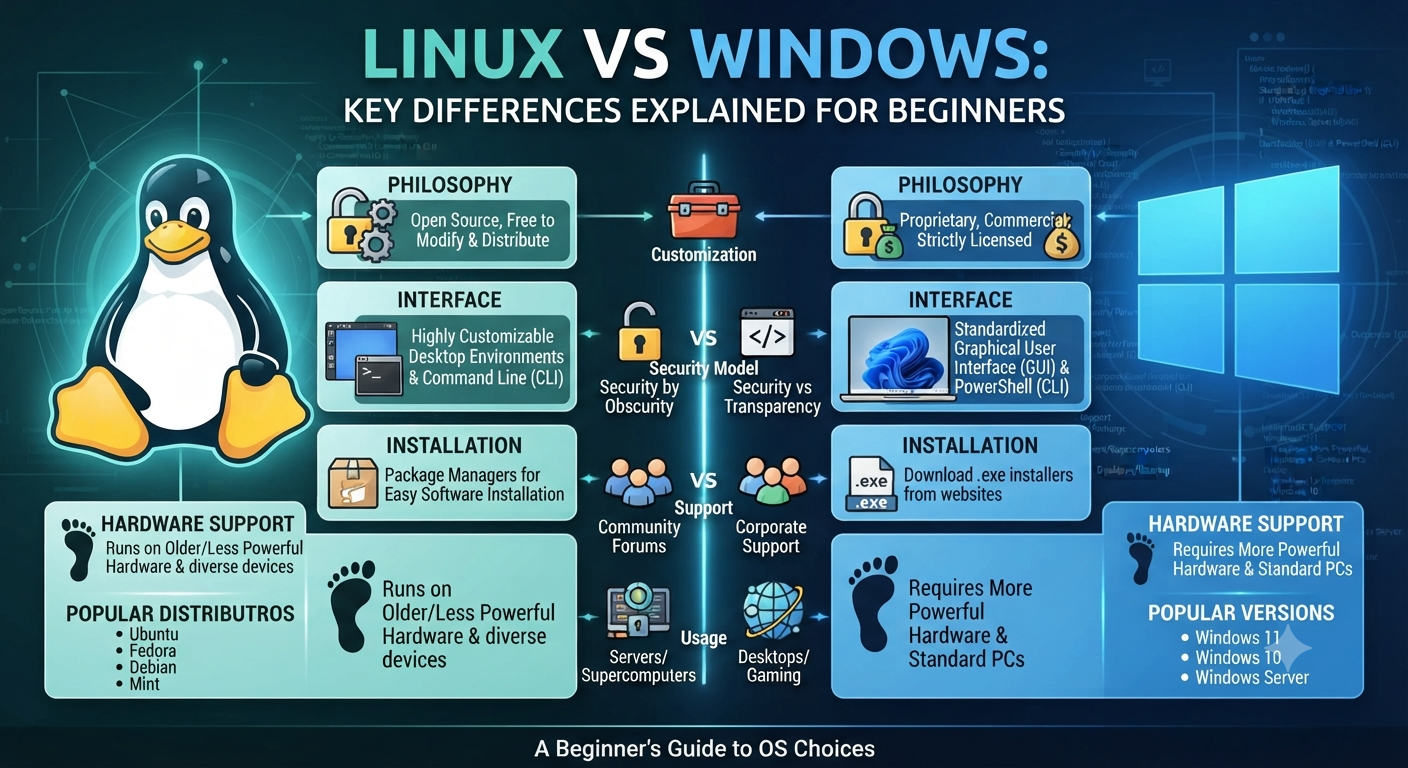
Linux vs Windows – The Differences Explained for Newbies
![1920 x 1080] Tux looking through windows window : r/wallpaper](https://i.redd.it/l7hn0bm9nom71.jpg)
For those of you who have spent your whole computing life within Windows, hearing people talk about Linux can sound like they are talking about a whole different kind of tech. It is not. But the difference is real and matters if you are thinking of switching, learning IT or even just curious why so many servers, developers and security professionals prefer Linux.
This guide will compare Linux and Windows in plain English. We’ll look at what each operating system actually is, compare costs, security, customization, and software support, and help you decide which one makes sense for what you want to do.
What is Linux and What is Windows?
But before we start a feature-by-feature comparison of Linux vs Windows, it helps to know what each one actually is.
Windows is a proprietary operating system developed and owned by Microsoft. It’s meant to be consistent, easy to use and tightly integrated with Microsoft’s own software ecosystem — Office, OneDrive, Teams, etc. Most consumer desktop and laptop PCs are shipped with Windows pre-installed, which is a huge part of the reason it’s the most popular desktop OS in the world.
But Linux isn’t a single operating system made by a single company. It’s an open-source kernel that is used to build many different operating systems — called distributions, or “distros”. All four distributions are built on the same Linux kernel, but they differ in appearance, tools and intended audience. One of the first things that people trip over in a Linux vs Windows discussion is that Windows is one product, whereas Linux is really a family of related systems.
Free vs. Paid Licensing Cost
Cost is one of the most immediate differences in the Linux vs Windows comparison.
Windows, whether you purchase it separately or bundled with a new computer, requires a paid license. For example, Windows Pro or Windows Server are editions with more features, and businesses often pay extra licensing fees for these.
Linux, on the other hand, is free and open source. The most common distributions are free to download, install and use, including for commercial purposes. This is a big reason why Linux is so popular in server environments, cloud computing, and any situation where someone is deploying on a budget and the licensing costs can add up quick across hundreds or thousands of machines.
That said, “free” doesn’t automatically mean “better for everyone.” Free also means community-driven support in many cases, not a dedicated customer service line — something worth factoring in if you’re used to Microsoft’s support structure.
Open Source vs. Proprietary Why It Matters
This is where the Linux vs Windows discussion gets a bit more philosophical, but it has real world implications.
Linux is open source, which means anyone can look at the source code, change it, or redistribute it. This transparency is a big part of why security professionals and developers trust it; vulnerabilities can be discovered and patched by a global community, not just a single company’s internal team.
Windows is a proprietary operating system, which means the source code is closed and controlled completely by Microsoft. Updates, patches and features come on Microsoft’s schedule, and users have far less visibility into how the system works under the hood.
Neither is “more secure” by default, and in all cases, but that openness is exactly why Linux is the default choice in cybersecurity, penetration testing and server infrastructure — fields where knowing and controlling exactly what a system is doing really matters.
User interface and User Experience
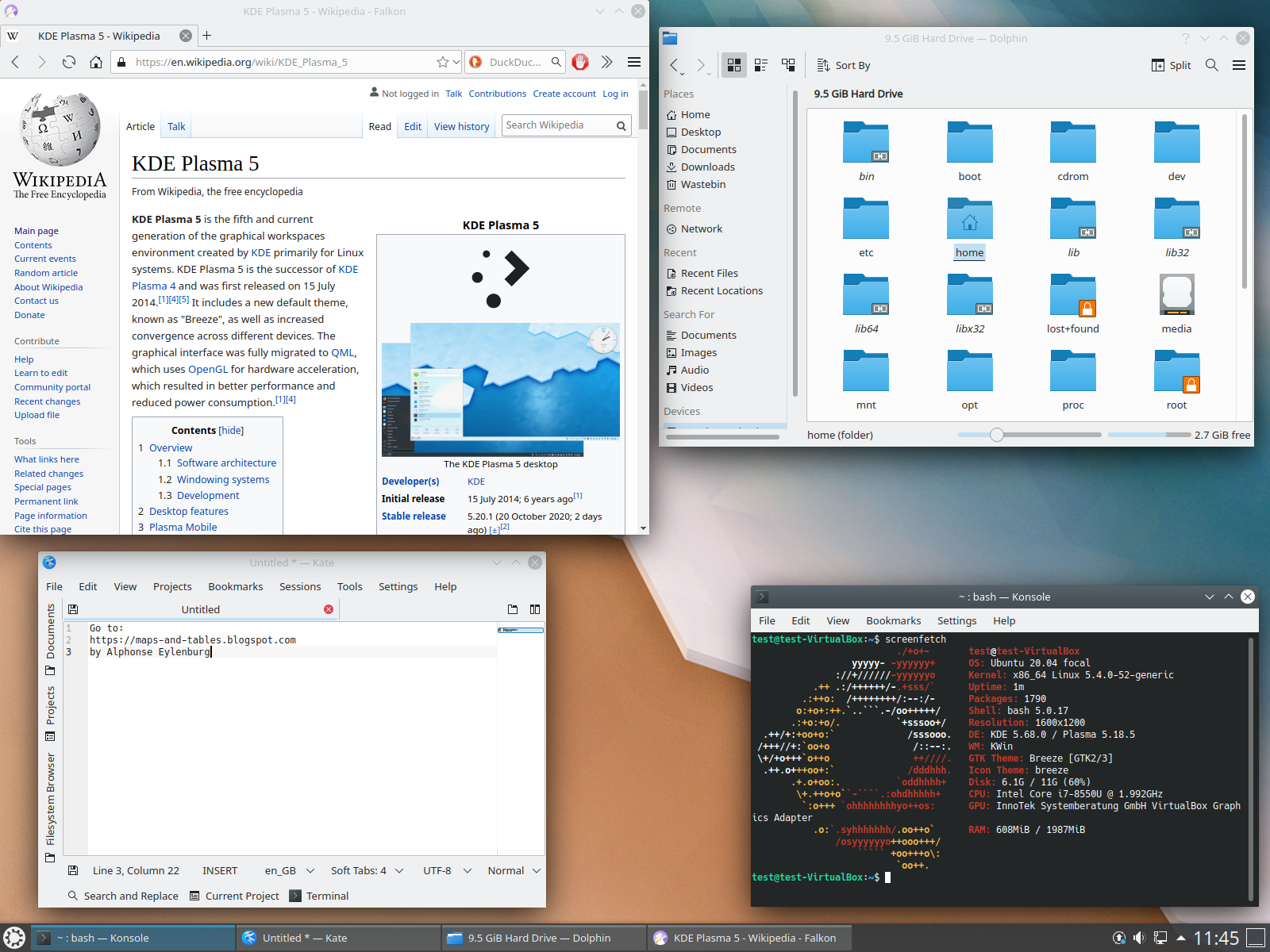
This is the side of the Linux vs Windows debate that most beginners care about most of the time.
Windows is built on one graphical interface that is consistent and that most people know already from years of use. Installing software, settings, file management. All are patterns most users already know intuitively.
In this respect the various Linux distributions are more varied. Some, like Ubuntu or Linux Mint, offer graphical interfaces very similar to Windows or macOS, so the transition is fairly smooth. Others, such as Kali Linux, designed for server or security work, are heavily command-line driven and assume the user is perfectly comfortable working without a graphical interface.
This is really one of the biggest adjustment points people run into: Windows assumes you’re mostly clicking through menus, while many Linux environments expect at least some comfort in typing commands directly. It’s not that Linux is harder, it’s that it gives you more power right away, which has a bit of a steeper initial learning curve.
Software & application compatibility
The availability of software is a practical and often decisive factor in the decision between Linux and Windows.
Windows has the largest library of consumer and business software available anywhere. Almost every commercial application, game and proprietary tool is designed with Windows compatibility in mind.
Linux has great support for open-source software, development tools, and server applications, but mainstream consumer software (some games, some proprietary business applications, and certain creative tools) is often not available natively, though compatibility layers and alternatives exist for many use cases. This is often the main reason casual users are hesitant to fully switch to Linux even though they are attracted to its other benefits.
Security Aspects
One of the most frequently mentioned differences in the Linux vs Windows comparison is security and for good reason.
Windows has the biggest desktop user base and so is the most targeted platform for malware and attacks, simply because of scale. So, in the past, Linux has been a less attractive target for the sort of malware that plagues everyday Windows users. This is because of its smaller desktop market share, as well as its permission structure and open source transparency.
This isn’t to say Linux is immune to security concerns — far from it — but the way it’s built, particularly with user permissions and system access controls, gives admins finer-grained control over what can and can’t happen on a system. That’s one of the main reasons Linux rules the roost in the server room, where security and stability are directly related to the bottom line.
Stability, performance
System stability is a frequent deciding factor in the Linux vs Windows discussion among server administrators. Linux servers are known to run for long periods of time without needing to reboot, and many production environments are built upon that reliability.
Windows has come a long way in this regard over the years, but Linux’s reputation for long-term stability — especially in server and cloud environments — is one of the strongest arguments for it in the infrastructure arena.
Performance on the desktop side is often a matter of configuration rather than a hard-and-fast rule. Older PCs might have a hard time running a modern version of Windows, but they can do quite well with a lightweight Linux distribution, so Linux is a popular way to breathe new life into older machines.
Customization and Control
This is where Linux really stands out in the Linux vs. Windows comparison. It is open source so users can change almost anything in it. They can change the interface, the way the system works, the security settings and even which parts of the operating system are installed.
Windows has customisation too – but only to the extent allowed by Microsoft. You can customize themes and settings, but you can’t fundamentally change the way the underlying system works like you can with Linux.
For a beginner, this level of control can be a double-edged sword. It’s powerful for the person that wants it, but a little overwhelming for the person that just wants things to work without tinkering.
Quick Comparison Table
| Factor | Linux | Windows |
|---|---|---|
| Cost | Open source and free | License Required – Paid |
| Source code | Open, publicly available | Closed, proprietary |
| Software Library | Very good for open source/dev tools; limited for some consumer apps | Largest library of consumer / business software |
| Security Model | Fine-grained permissions, open source transparency | Market share = Larger target |
| Customization | Extremely high | Moderate, within Microsoft limits |
| Server Use | Predominantly server/cloud settings | Common for Windows Server environments |
| Learning Curve | Steeper, especially for command line distros | Typical of most new computer users |
Which One to Choose as a Beginner?
There is no one correct answer when it comes to the Linux vs Windows debate, it all depends on what you want to do.
For casual users who want familiar software, games and a system that “just works” out of the box, Windows is still the more comfortable place to start.
If you’re learning system administration, devops, cyber security, or working towards certifications like RHCSA or CEH, learning Linux isn’t optional — it’s the environment you’ll actually be working in professionally. Servers, cloud platforms and security tools are overwhelmingly Linux-based, and this is exactly why so many IT and cybersecurity career paths require Linux fluency early on.
Linux vs Windows FAQs
1. Which is better for novice users, Linux or Windows?
Depends on what you want to do. Windows is usually easier for casual, everyday use because it’s familiar and has software support. If you are interested in a career in IT, DevOps or Cybersecurity, Linux is a better choice as a beginner, because you would be expected to know Linux anyways.
2. Is Linux free?
Yes. Linux is open source software, so most Linux distributions are free to download and use, even for commercial purposes.
3. Can you run Windows software in Linux?
Some Windows software can also run on Linux, through compatibility layers or virtual machines, but not all software applications are portable to Linux, especially some games and niche business software.
4. Is Linux more secure than Windows?
Linux’s open-source transparency and permission structure offer a significant security advantage, and its smaller desktop market share makes it a less frequent target for malware. However, security really comes down to configuration and user practices on both systems.
5. Do I have to learn the command line to use Linux?
If your job is server administration, DevOps, or security, you’re expected to be comfortable at the command line—but not if you’re just using a desktop day-to-day with a beginner-friendly distro.
Summary
Linux vs Windows is not really a comparison of “better” operating systems – it’s a comparison of what you are trying to do. Windows is still the more familiar, software-rich choice for everyday computer use. Linux gives you more control, a stronger security architecture and is the standard environment across servers, cloud platforms and cybersecurity roles.
If you want to go into IT, system administration or cybersecurity, you can’t escape Linux — it’s a fundamental skill. With Pentest Craft’s RHCSA, RHCE and Kali Linux courses, you’ll go from being comfortable with Linux as a beginner, to professional use of Linux in real IT and security environments.