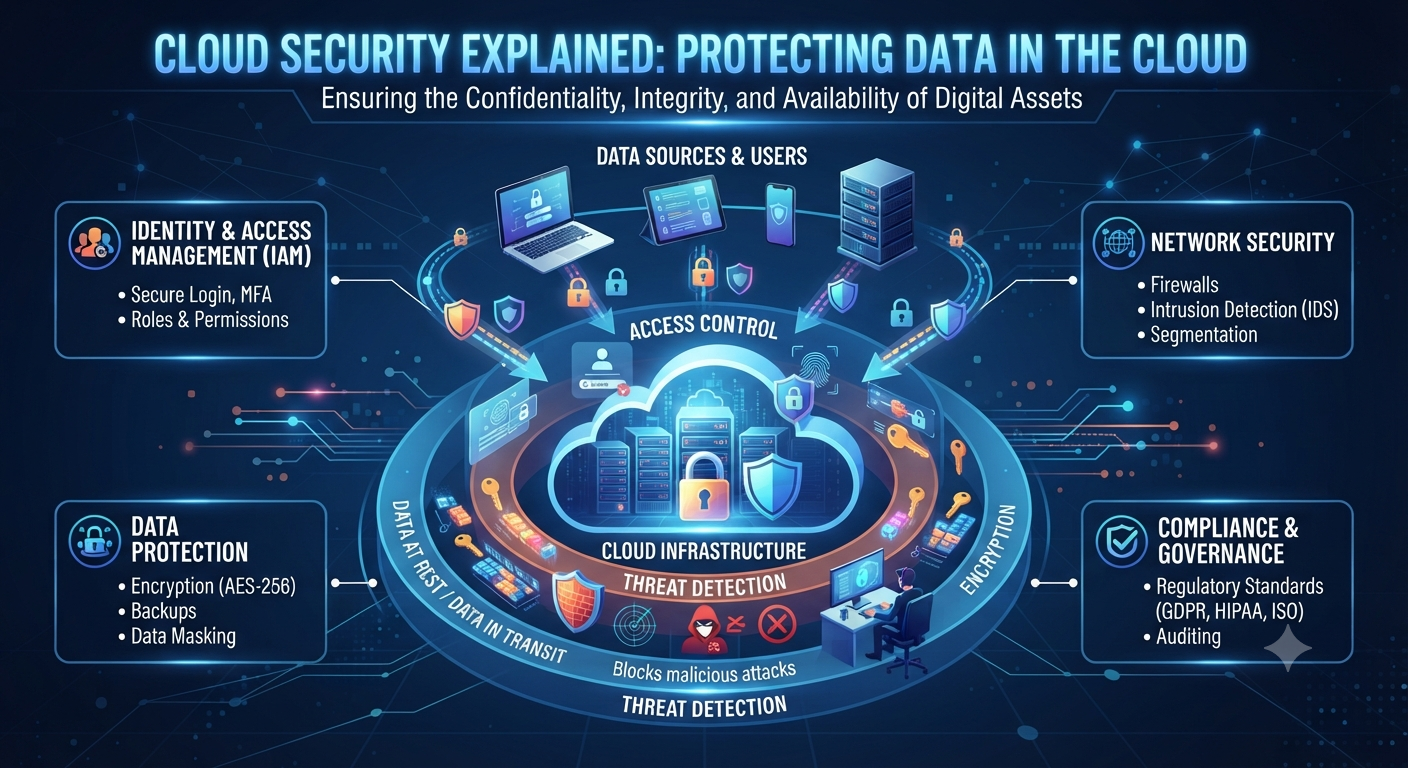
Cloud Security: The Ultimate Guide to Protecting Data in the Cloud
Introduction to Cloud Security: Data Protection in the Cloud

The advent of cloud computing has revolutionized the ways in which organizations and consumers store, process, and retrieve data. Instead of buying physical servers at their offices or data centers, organizations can use cloud platforms to scale their infrastructure, run applications, store files and run databases with a couple of clicks. Its versatility has sped up the digital transformation of almost every industry, from banking to healthcare to education to e-commerce.
With sensitive data moving into the cloud, protecting such data becomes increasing important. Cybercriminals are always on the lookout for vulnerabilities they can exploit to steal sensitive information, disrupt business processes or gain unauthorized access to cloud resources. One security breach, such as a weak password or misconfigured storage bucket, can result in the loss of thousands of customer records, and significant financial and reputational damage.
Cloud Security is the set of technology, policies, procedures and best practices used to protect systems, applications, and data that reside in the cloud. This allows organizations to enjoy the benefits of cloud computing without compromising on availability, integrity or confidentiality.
In this guide, we will delve into the fundamentals of cloud security in detail, offering practical advice and highlighting common threats to assist individuals and organizations in safeguarding their cloud environments.
What Is Security of the Cloud?
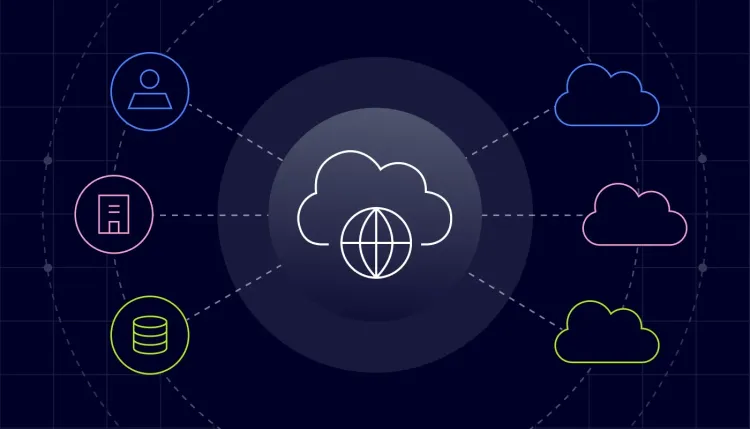
Cloud security is a set of technologies and protocols that are used to secure cloud-based data, applications and infrastructure from cyber-attacks. It is a blend of technical controls, operational procedures and governance policies designed to protect business continuity and mitigate security risks.
Unlike traditional IT environments, cloud security follows a shared responsibility model. The cloud service provider secures the infrastructure underneath but the customer is responsible for securing their own applications, user accounts, data and configurations.
A company might, for instance, keep sensitive customer data on a cloud platform. The provider is responsible for the security of the network and physical servers that support the service. The organization is responsible, however, for making sure that sensitive data is encrypted, access privileges are appropriate, and user activity is monitored.
The Significance of Cloud Security

Organizations are moving to cloud computing to save on costs and for flexibility and scalability. But these benefits also bring new security problems.
What if a company doesn’t have enough security?
- Data leaks
- Burglary by unlawful entry
- Amount of financial loss
- Outage of Service
- Sanctions for regulatory violations
- Distrust the customers
A good cloud security strategy helps organizations shrink their attack surface, quickly spot threats, and maintain compliance with industry regulations.
What is the Shared Responsibility Model?

Knowing who is responsible for what is one of the most important aspects of cloud security.
Cloud Providers’ Responsibilities
The majority of cloud providers implement security protocols such as:
- The data center’s physical location
- The networking platform
- Hard Disk Drives
- Virtualization platforms
- Cloud services that are core
Customer Responsibilities
Customers are usually responsible for:
- User account management
- Identity and Access Management (IDAM)
- Encryption of data during OS installation
- Application security
- Surveillance security measures
- Disaster recovery and backup
“The number one reason for cloud security incidents is the lack of clear roles and responsibilities.”
Cloud Security Risks
Many cyber threats are amenable to cloud environments. Understanding those risks is the first step toward building good defenses.
Loss of Data
A data breach is when confidential information is accessed without authorisation. Attackers may use stolen credentials, weak passwords or misconfigured cloud storage to access sensitive data.
For example:
Consider an online retailer that accidentally exposes a cloud storage bucket to the public. Anyone with the right URL could see customers’ names, e-mail addresses and payment details.
Cloud Resources Misconfiguration
Misconfiguration is often the bane of cloud security.
Some examples:
- Publicly accessible databases
- Storage buckets accessible to the public
- No limitations on firewall policies
- User rights are too lenient
Even the largest of organizations have had security issues due to simple configuration mistakes.
Weaknesses in Identity and Access Management (IAM)
Attacker can exploit compromised accounts due to insufficient access control.
Common issues:
- Weak Passwords
- Common administrator accounts
- Multi-factor authentication not supported
- Too much rights
Users can be confident that they will only be granted the minimum access necessary to do their jobs. This is the least authority principle.
Internal Threats
External attackers don’t cause all security incidents. Employees, contractors or partners with the required access could unwittingly or maliciously disclose sensitive information.
Consistent monitoring and tight access controls minimize insider threats.
Ransomware and Malware
Attackers can use malware to gain control over systems connected to the cloud. Ransomware can encrypt business data and only restore access after payment.
Having secure backups and endpoint protection greatly reduces the severity of ransomware attacks.
Account Take Overs
Credential stuffing, phishing, and password reuse are the most frequent ways cybercriminals attempt to compromise cloud accounts.
Actions Taken by the Attacker on Entry:
- Theft of sensitive information
- Further assaults are launched
- Build hardware for crypto currency mining
- Delete the backups
- Conceal the admin accounts
One of the best defenses against account hijacking is multi-factor authentication.
Features of Cloud Security
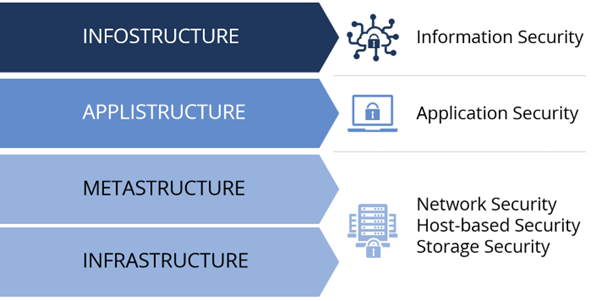
“A good cloud security solution is not one product, it’s a combination of many layers of protection.”
Identity and Access Mgmt (IAM)
IAM provides users with the authority to access cloud resources and perform actions.
The main characteristics are as follows:
- Username
- Role-based access control (RBAC)
- Authorization Management
- Multi-factor authentication (MFA)
- Single sign-on (SSO)
Data Encryption
Encryption is the process of securing data so that it cannot be read by those who do not have the correct encryption key.
Organizations should implement encryption for:
- Data at rest
- Data in transit
- Files that are backups
- Databases
By encrypting data, you greatly reduce the amount of data that can be exposed in a breach of a storage system.
Security Network
“Security controls like protection and segmentation are a must to secure cloud networks.”
- Security groups and firewalls
- Virtual Private Networks (VPN)
- Web Application Firewalls (WAF)
- Intrusion Detection Systems (IDS)
These technologies help prevent unauthorized access and limit the attacker’s ability to move laterally within the cloud environment.
Security Monitoring Tools
Proactive monitoring allows organizations to identify suspicious activity before it develops into a significant security event.
Typical monitoring solutions collect:
- Login attempts
- Network traffic
- API usage
- Configuration changes
- Management actions
- File related events
Security teams can then use this data to respond quickly to any anomalies they see.
Best Practices for Cloud Security
By following readily available best practices, organizations can improve their security posture.
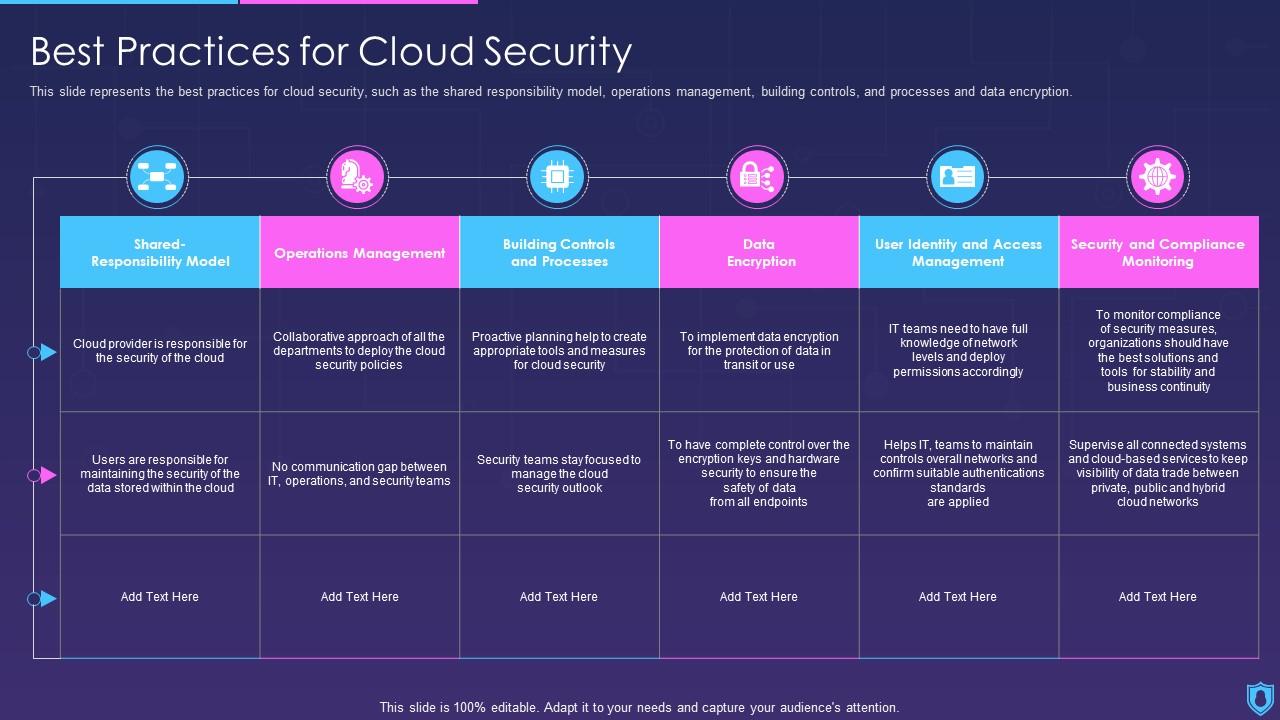
- Enable multi-factor authentication (MFA) on all remote and privileged accounts.
- Apply the principle of least privilege.
- Maintain current systems—quickly apply security patches.
- Encrypt sensitive data in transit, at rest, or in storage.
- Routinely back up data and test recovery procedures.
- Monitor security logs and follow up on alerts.
- Conduct security assessments (vulnerability scans, penetration testing).
- Educate employees through security awareness training.
Compliance for Cloud Security

Many organizations must comply with industry-specific security standards and legal obligations.
Commonly used frameworks are:
- PCI DSS
- ISO 27001
- NIST Cybersecurity Framework
- SOC 2
- GDPR
- HIPAA
By following these standards, companies can show that they are following good security practices and protecting their customers’ data.
Illustration: Actual Life
Imagine a healthcare organization that stores patient records in the cloud.
If security controls are insufficient, an attacker who has gained access to an employee’s password may be able to access confidential medical information. But, if the organization had multi-factor authentication, encrypted patient records, monitored login activity, and limited administrative privileges, the attacker would face many barriers.
This layered approach, also known as “defense in depth,” greatly reduces the likelihood and impact of a successful attack.
Common Mistakes in Cloud Security
Most cloud security breaches are caused by mistakes that could have been avoided rather than sophisticated hacking techniques.
Common mistakes:
- Passwords that have been reused or are weak
- Multi-factor authentication is disabled
- Public cloud storage implemented without restriction
- Ignoring software updates
- Users with too many privileges
- Security logs are not being reviewed
- Backup recovery testing not performed
- Relying solely on the provider for all security responsibilities
Tackling these issues can greatly enhance an organization’s overall security stance.
Frequently Asked Questions (FAQ’s)
Is cloud storage safer than local storage?
Cloud storage can be very secure, if you set it up right. “While cloud providers are investing heavily in physical and digital security, it’s still up to customers to follow security best practices to protect their own data.”
What is the biggest cloud security risk?
The number one cause of cloud security incidents is misconfigured cloud resources, even more so than stolen credentials or inadequate access controls.
What’s MFA?
Multi-factor authentication (MFA) is a security process in which the user provides two or more verification factors to gain access to a resource. These factors include a password and a one-time verification code.
Why is it important to encrypt?
Encryption prevents hackers from accessing the data stored on the system without the proper encryption keys.
Is Cloud Security Good for Small Business?
Sure. “Attackers often target small businesses because they think they aren’t well enough protected,” he said. The adoption of basic cloud security protocols can greatly reduce risk, no matter what size of organization.
To Conclude
Cloud computing has transformed the way businesses deploy applications, store data and deliver services. Cloud computing is the most flexible and scalable option, but it also brings with it new security responsibilities that can’t be ignored. A comprehensive cloud security strategy should be implemented that includes clearly defined security policies, encryption, robust access controls, employee awareness, and continuous monitoring.
Organizations that comprehend the shared responsibility model and adopt a proactive security strategy are far better placed to cope with the changing nature of cyber threats. Companies can protect sensitive data and maximize the advantages of their cloud usage by following industry standards, doing risk assessments and staying on top of new attack techniques.
As cloud adoption continues to grow, cloud security will remain a critical part of every organization’s cybersecurity strategy. But the advantages of investing in effective security are not just about data protection. It supports a business to meet regulatory compliance, builds trust with customers, and ensures its long term resilience.
Create an Action Plan
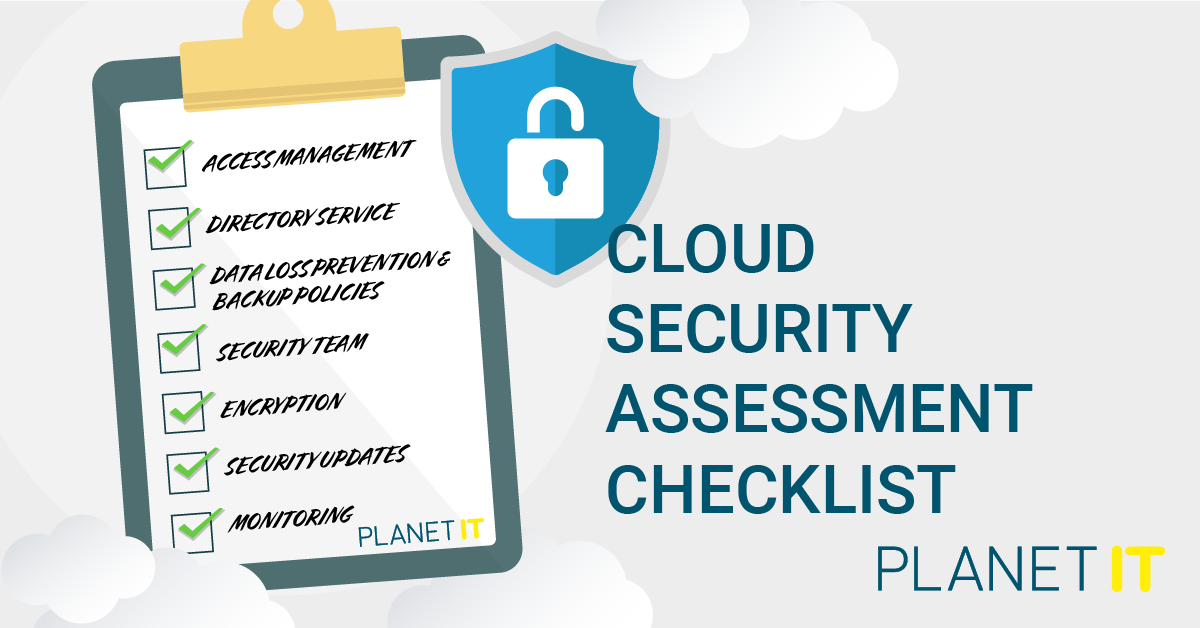
If you are in charge of securing a large enterprise environment, or if you are just managing your own cloud account, it’s time to review your cloud security posture. Monitor your cloud resources regularly, encrypt sensitive data, audit user permissions and implement multi-factor authentication. Small improvements made today can prevent large security breaches tomorrow.